
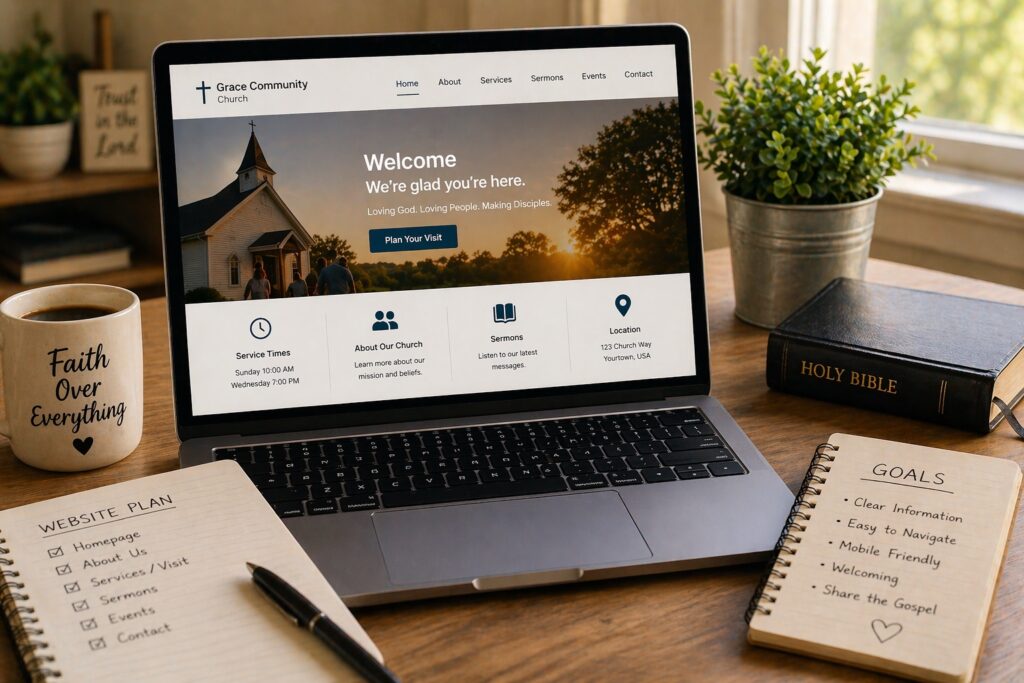
If you are preparing to start a church, your website does not need to look like a megachurch website. It needs to help people understand who you are, what God has called your church to do, when and where you are gathering, and how they can take the next step.
Starting a church involves a lot of moving pieces. You may be building a launch team, praying through your mission and vision, securing a meeting location, preparing ministries, raising support, and reaching people in your community.
Your website is one part of that process—but it can become an important one.
This church website setup guide is designed to help church planters and leaders build a simple, useful online presence without spending unnecessary money or getting buried in technology.
The goal is not to build everything before launch.
Build what your church needs now. Make it clear. Make it easy for people to find you and connect. You can add more as the church grows.
Why Your New Church Needs an Online Home
Someone hears about your new church from a friend, sees a launch announcement, receives an invitation, or comes across one of your social media posts.
What might they do next?
They may search for the church online.
Your website gives that person one dependable place to answer questions such as:
- Who is this church?
- What does it believe?
- Who are the leaders?
- When does it launch?
- Where will it meet?
- What should I expect?
- Is there something for my children?
- How can I get involved?
- How can I contact someone?
Think of your website as your church’s online front door. It does not replace relationships, evangelism, personal invitations, or ministry. It helps people who are interested take their next step.
Before You Build Anything: Get These Decisions Clear
It is tempting to start choosing colors, themes, and website designs immediately. But a few foundational decisions should come first.
1. Confirm Your Church Name
Before purchasing a domain name or creating branded materials, make sure your church name is settled as much as reasonably possible.
Changing the name later can mean changing your domain, email addresses, printed materials, social accounts, and other parts of your launch.
2. Secure Your Domain Name
Your domain is the web address people will use to find your church.
Ideally, it should be:
- easy to spell;
- easy to remember;
- reasonably short;
- closely connected to your church name; and
- easy to say aloud without explanation.
If the domain that best matches your church name is available and you are confident about the name, securing it early can prevent someone else from registering it.
3. Decide Who Will Own and Control the Website Accounts
This is easy to overlook when a church is just beginning.
Your domain registration, hosting account, website administrator account, and related services should not depend entirely on one volunteer’s personal email address or personal ownership.
Make sure the church knows:
- where the domain is registered;
- who controls the account;
- where login information is securely stored;
- who has administrative access; and
- how access can be transferred if a volunteer or staff member leaves.
A little organization now can prevent a major headache later.
What Should Be on a Church Website Before Launch?
You do not need dozens of pages.
For a new church, a small number of clear pages can do the job very well.
1. Homepage
Your homepage should quickly tell visitors:
- your church name;
- what kind of church you are;
- your launch date or current gathering schedule;
- your location, if confirmed; and
- the most important next step you want visitors to take.
That next step might be Plan Your Visit, Join the Launch Team, Get Updates, or Contact Us.
Do not make people search through the website to figure out what is happening.
2. About / Mission & Beliefs Page
People considering a new church will naturally want to know what it stands for.
Explain your church’s mission, basic beliefs, leadership, and the community you hope to serve.
You do not need to tell your entire story on the homepage. Give interested visitors somewhere to learn more.
3. Plan Your Visit Page
This can become one of the most important pages on your website.
Think about the questions a first-time visitor might have and answer them before the person has to ask.
Depending on your situation, include:
- service or gathering time;
- street address;
- parking information;
- where to enter the building;
- children’s ministry information;
- what a typical gathering is like;
- accessibility information where relevant; and
- a simple map or directions.
Reducing uncertainty can make it easier for someone to walk through the door for the first time.
4. Contact / Connect Page
Before your church launches, some visitors may not be ready to attend—but they may be interested.
Give them a simple way to connect.
You might offer:
- a contact form;
- an email address;
- a prayer request form;
- a “keep me updated” form;
- information about joining the launch team; or
- a way to express interest in serving.
Do not collect information simply because you can. Ask only for information you genuinely need and handle people’s information responsibly.
5. Ministries Page — When You Actually Need One
If children’s ministry, youth ministry, small groups, outreach, or other ministries are already organized, you can explain them.
But you do not need to create empty ministry pages just because larger churches have them.
If something does not exist yet, you can add it later.
6. Sermons or Messages — When They Become Available
A brand-new church may not have a sermon library yet. That is perfectly fine.
Once you begin producing messages that you want available online, you can add a sermons or messages page.
You do not need to delay launching your website because you do not have a library of content.
What If You Don’t Have a Permanent Location Yet?
Many church plants begin their online presence before every launch detail is finalized.
You can still build the website.
Be clear about what you know and what you do not know.
For example:
“We are preparing to launch in the Springfield area. Join our email list for launch-date and location updates.”
That is better than publishing information you are not certain about.
Once the location and schedule are confirmed, update the website immediately.
Should Your Church Use Social Media Instead of a Website?
Social media can be extremely useful for a new church. It can help you share updates, introduce leaders, tell stories, announce gatherings, and connect with people.
But I would not make social media your church’s only online home.
A social media account lives on someone else’s platform. The platform controls how the service works, how content is distributed, and what changes in the future.
Your website gives your church a central online destination that you control.
The two can work together:
Social media helps people discover and engage with your church. Your website gives them a dependable place to learn more and take the next step.
What About Online Giving?
If your church is ready to accept donations, giving information should be easy to find—but it should not dominate the website.
You generally do not need your web host itself to process donations. Churches commonly use a dedicated giving or payment service and connect it to the website.
Before accepting online donations, make sure the church has its financial, organizational, and legal processes appropriately established. Website software does not replace those responsibilities.
Choose a Website Platform You Can Actually Maintain
The best platform is not necessarily the one with the most features. It is one your church can realistically maintain.
For churches that want flexibility and control, WordPress can be a strong option. It can start small and expand as the church grows.
Whatever platform you choose, ask:
- Can someone on our team update it?
- Can we change service information quickly?
- Will it work well on phones?
- Can it grow with the church?
- Do we understand the ongoing costs?
You are building a ministry tool, not a technology project that should consume the ministry.
Keep the First Version Simple
A church preparing to launch does not need the same website as a church with thousands of members and decades of history.
Your first version might consist of only:
- Home;
- About / Beliefs;
- Plan Your Visit;
- Connect / Contact; and
- Giving, if appropriate.
That’s enough to begin.
Later you might add:
- sermons;
- ministries;
- events;
- small groups;
- staff pages;
- resources;
- volunteer information; and
- other features your congregation genuinely uses.
Build for the church you have now, while leaving room for the church to grow.
Make Mobile Visitors a Priority
Many people will first encounter your website on a phone.
Check the site yourself on a mobile device.
Can you quickly find:
- the service time;
- the location;
- the Plan Your Visit button;
- contact information; and
- the main navigation?
If someone has to pinch, zoom, hunt through menus, or wait for enormous images to load, simplify the experience.
Mobile usability is part of good online hospitality.
What You Probably Don’t Need Before Launch
Church planters have enough expenses already. Your website does not need to become another place to overspend.
You probably do not need:
- dozens of pages;
- expensive custom features that nobody uses yet;
- a complicated member portal before you have members who need it;
- a huge sermon system before you have sermons;
- multiple premium tools doing the same job; or
- a design built to imitate a much larger church.
Start with what helps people find, understand, visit, and connect with your church.
Then let actual ministry needs determine what you add.
The Foundation Under Your Website: Hosting
If you decide to build your church website with WordPress, the website needs hosting.
Think of hosting as the service that provides the online home where your website runs.
For a new or small church, you generally want hosting that is:
- reliable;
- secure;
- reasonably fast;
- manageable for beginners;
- supported when something goes wrong; and
- capable of growing with you.
You do not necessarily need the most expensive hosting plan.
You need a dependable foundation appropriate for the website you are actually building.
Need help choosing hosting for your church website?
I created a separate guide that explains what churches actually need from hosting, including reliability, WordPress, sermons, livestreaming, giving, and what smaller churches should prioritize.
Who Should Maintain the Website After Launch?
Before launch day, decide who is responsible for keeping the website accurate.
That person does not necessarily need to be a professional web designer.
Someone should simply own the responsibility for checking things such as:
- service times;
- location information;
- contact forms;
- staff information;
- upcoming events;
- broken links;
- sermon links; and
- software updates where applicable.
An outdated website can create more confusion than a simple website.
Church Website Pre-Launch Checklist
Before you announce your website, walk through this checklist:
- ☐ Church name is correct everywhere.
- ☐ Domain name is secured and under appropriate control.
- ☐ Website administrator and account ownership are documented.
- ☐ Launch date or current gathering information is accurate.
- ☐ Location and directions are correct—or clearly marked as coming soon.
- ☐ Mission, beliefs, and leadership information are clear.
- ☐ Plan Your Visit information is easy to find.
- ☐ Contact or connection form works.
- ☐ Website works well on a phone.
- ☐ Navigation is simple.
- ☐ Giving information is accurate, if applicable.
- ☐ Social media accounts link back to the website.
- ☐ Someone has responsibility for keeping information updated.
- ☐ Hosting and website login information are securely documented.
- ☐ Another person has tested the website as a first-time visitor.
One Final Test: Look at the Website Like a Visitor
Before launch, ask someone who was not involved in building the website to look at it.
Then ask that person:
- What does this church seem to be about?
- When does it meet?
- Where does it meet?
- What would you click if you wanted to visit?
- How would you contact someone?
If those answers are difficult to find, simplify the website.
You know your church intimately. A first-time visitor does not.
Your Website Doesn’t Have to Be Finished to Be Useful
One of the easiest traps in launching a church website is waiting until everything is perfect.
Your website will change because your church will change.
Launch with accurate information and the essentials people need. Improve it as ministries develop, leaders are added, sermons become available, and the congregation grows.
A simple website that is live, accurate, and useful is better than an elaborate website that remains unfinished.
Final Encouragement
If you are planting a church, the website is not the ministry.
The people are.
The conversations, prayers, discipleship, worship, preaching, service, evangelism, relationships, and work God has called your church to do matter far more than a website ever will.
But a good website can quietly support that work.
It can help someone discover your church.
It can answer the questions that make a first visit feel intimidating.
It can help a person take one small step from “I’ve heard about this new church” to “Maybe I’ll visit this Sunday.”
So don’t try to build the biggest church website.
Build a clear one. Build a useful one. Build what your church needs now—and let it grow as the ministry grows.
Ready for the next step?
If WordPress is the right fit for your church, the next decision is choosing a dependable place to host the website. My church hosting guide explains what matters and what smaller churches can safely ignore.
Compare Hosting for Your Church WebsiteAbout the Author
I’m Rev. Nehemiah Maxwell, an ordained Christian minister and founder of WhichHostIsBest.com. I created WHIB to help Christians who feel called to serve and share their faith online understand the practical steps involved in establishing a ministry presence on the web. My goal is to make the technology side clearer so churches and ministry leaders can spend more of their attention on the people they are called to serve.