
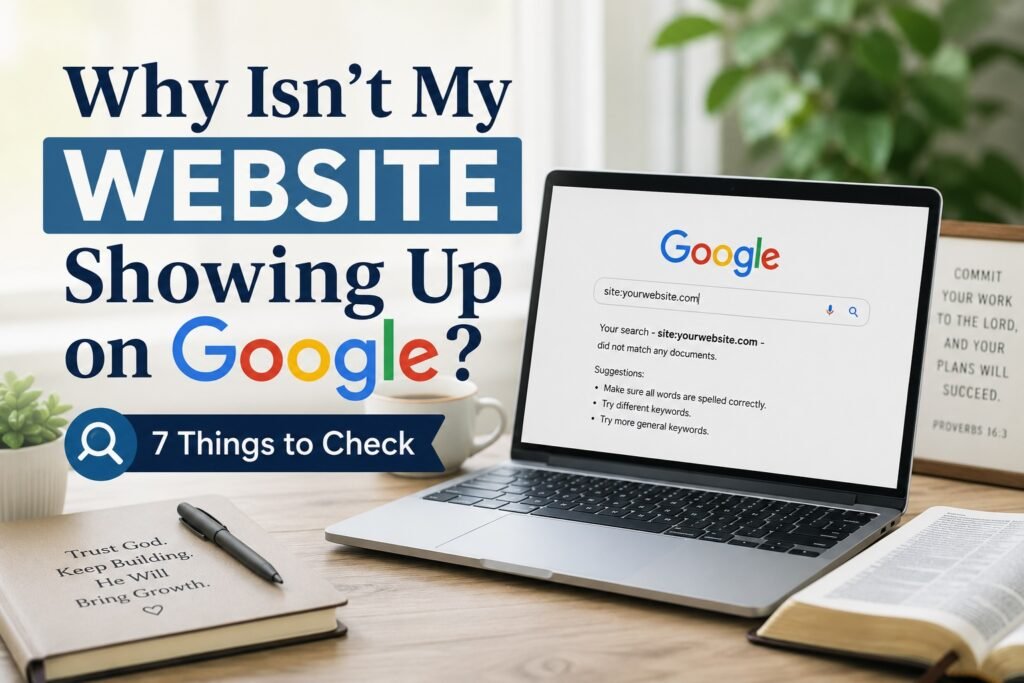
You built your website. You published your pages. You can type the address into your browser and see that everything is working.
But then you search for your website on Google.
And you can’t find it.
Maybe you search for the name of your website. Maybe you type in the title of an article you published. Maybe you’ve gone several pages deep into the search results wondering where your site went.
So now you’re asking the obvious question:
Why isn’t my website showing up on Google?
Before you assume you’ve done something terribly wrong, there are several possible explanations. Some are technical problems you can fix. Some simply require more time. And sometimes your page is already in Google’s index but isn’t ranking where you’re looking for it.
Those are different problems, so let’s figure out which one you’re dealing with.
First, There’s an Important Difference Between Being Indexed and Ranking
This is probably the most important thing to understand before troubleshooting anything else.
A page can be indexed by Google without appearing near the top of Google when you search for a particular phrase.
Think of Google’s index as an enormous library catalog.
Being indexed means Google has added your page to the catalog and it is eligible to appear in search results.
Ranking is different.
Ranking determines where Google chooses to show that page for a particular search—or whether it shows it prominently enough for you to notice it at all.
So when someone says, “My website isn’t showing up on Google,” the first thing we need to determine is:
Is the page actually missing from Google’s index, or is it indexed but simply not ranking for the search you’re using?
Once you know that, troubleshooting becomes much easier.
1. Check Whether Google Has Indexed the Page
If you have Google Search Console connected to your website, start there.
Open Search Console and use the URL Inspection tool. Enter the complete URL of the page you’re trying to find.
Search Console should tell you whether the URL is indexed.
If Google reports that the URL is indexed, that’s good news. Your immediate problem probably isn’t getting the page into Google’s index. You may instead be dealing with a ranking or visibility issue.
If Search Console reports that the page is not indexed, look closely at the reason it provides.
Don’t worry if some of the terminology looks technical. The status itself gives you a much better starting point than simply searching Google repeatedly and wondering why your page isn’t there.
2. Make Sure You Haven’t Accidentally Told Google Not to Index It
This happens more easily than beginners might imagine.
A webpage can contain an instruction called noindex. In plain English, it tells search engines:
“Don’t put this page in your search index.”
That’s useful for pages you intentionally want excluded from search results, but it’s a problem when accidentally applied to a page you want people to find.
WordPress websites can also have search-engine visibility settings, and SEO plugins can control whether particular pages are indexable.
If Search Console indicates that a page is excluded because of a noindex directive, don’t start rewriting the article.
Fix the indexing instruction first.
The same general principle applies if Google is being prevented from accessing important parts of the site through other technical restrictions.
3. Look at the Exact Message in Google Search Console
Not every unindexed page has the same problem.
You may encounter messages such as:
- Discovered – currently not indexed
- Crawled – currently not indexed
- Excluded by ‘noindex’ tag
- Duplicate without user-selected canonical
- Page with redirect
Those messages matter because they describe different situations.
For example, Discovered – currently not indexed generally means Google knows the URL exists but hasn’t yet crawled and indexed it.
Crawled – currently not indexed means Google has crawled the page but hasn’t added it to the index at this time.
A noindex message points toward an instruction preventing indexing.
A duplicate or canonical message may mean Google believes another URL should represent that content instead.
Instead of treating every unindexed page as the same mystery, let Search Console narrow down what kind of problem you’re actually dealing with.
4. Make Sure Google Can Discover the Page Easily
Imagine publishing a wonderful page and then putting it in a room with no doors leading to it.
People might have difficulty discovering it.
Search engines can face a similar problem.
Important pages should normally be connected to the rest of your website through sensible internal links.
For example, if you publish a new article, another relevant page on your site might naturally link to it where doing so genuinely helps the reader.
Your XML sitemap can also help search engines discover URLs on your website.
If you use Google Search Console, check that your sitemap has been submitted successfully and isn’t reporting a major problem.
A sitemap does not guarantee indexing, but it can help Google discover and understand the URLs you want it to know about.
5. Ask Whether the Page Is Too Similar to Something You Already Published
This one deserves special attention if you’ve created a lot of content.
Suppose you publish:
How to Start a Christian Blog for Beginners
and later publish:
Beginner’s Guide to Starting a Christian Blog
Those titles are different.
But if both pages solve essentially the same problem for the same reader in substantially the same way, the distinction may be much smaller than it appears.
Before assuming an unindexed page needs more keywords or another thousand words, compare it with the pages already on your website.
Ask:
- Does another page already answer essentially the same question?
- Is this page offering something meaningfully different?
- Would a visitor understand why both pages need to exist?
- Would combining the two pages create a stronger resource?
Sometimes the best solution isn’t creating more content.
It’s making the content you already have more distinct and useful.
6. Remember That New Websites and New Pages Can Take Time
Publishing a page doesn’t mean Google will immediately crawl, index and rank it.
You can request indexing through Search Console, make sure the page is accessible, include it in your sitemap and link to it appropriately.
But none of those actions gives you a guaranteed timetable.
If you published something yesterday and can’t find it today, that alone isn’t evidence that something is broken.
Check the technical basics, make sure Google can access the page, and give the process some time before repeatedly changing things that may not have been wrong in the first place.
7. If the Page Is Indexed, You May Have a Ranking Problem Instead
This is where many website owners understandably become confused.
Search Console says:
The page is indexed.
But you search Google and still can’t find it.
Both things can be true.
Being indexed does not guarantee that your page will rank on the first page, the fifth page, or anywhere you’re likely to notice for a particular search.
Google still has to decide which pages it believes are most relevant and useful for each query.
If your page is indexed, the next questions become different:
- What search query are you expecting the page to appear for?
- Does the page actually satisfy the intent behind that search?
- What pages currently rank for it?
- Does your page offer something meaningfully useful or different?
- Does Google Search Console show impressions for the page?
This is no longer simply an indexing question.
Now you’re entering the world of search visibility and SEO.
A 10-Minute Checklist When Your Website Isn’t Showing Up on Google
If all of this feels like a lot, start here.
- Open Google Search Console.
- Inspect the exact URL you’re trying to find.
- Determine whether Search Console says the URL is indexed or not indexed.
- If it isn’t indexed, read the specific reason Google provides.
- Check for accidental noindex settings or other crawling restrictions.
- Make sure the page is included in your site structure and has appropriate internal links.
- Check that your XML sitemap is available and submitted properly.
- Compare the page with your existing content for substantial overlap or duplication.
- If everything looks correct and the page is new, allow time for Google to process it.
- If the page is already indexed, stop troubleshooting it as purely an indexing problem and begin examining ranking and search intent.
That simple distinction—not indexed versus indexed but not ranking—can save you a tremendous amount of confusion.
What If You’ve Checked Everything and Google Still Doesn’t Show Your Page?
Now we get to something I think website owners sometimes forget.
Google is an extraordinary piece of technology.
But it is still technology.
Think about Apple.
Apple has invested enormous resources into products such as the iPhone, Mac and Safari. Brilliant engineers have spent years developing and refining them.
Yet an iPhone can still freeze.
Safari can still encounter a bug.
An app can still crash.
Artificial intelligence can still produce an incorrect answer.
That doesn’t mean those technologies are bad.
It means complicated technological systems aren’t automatically perfect simply because the companies behind them are enormous.
I think it’s reasonable to bring the same perspective to search engines.
That does not mean every page Google fails to index is the victim of a glitch. There are many legitimate technical, duplication, quality, discovery and other reasons a page may not be indexed or prominently displayed.
Those possibilities should be investigated first.
But we also shouldn’t turn every Google outcome into an unquestionable verdict on the value of what we’ve created.
Google Is a Search Engine—Not the Judge of Your Website’s Worth
This is the distinction I wish more website owners understood:
Google’s decision to index or rank a webpage and a human being’s decision that the webpage was helpful are not the same thing.
Imagine you wrote an article that answers someone’s question beautifully.
Google doesn’t send anyone to it.
Then someone discovers that exact article through Pinterest, Bing, an email, a friend’s recommendation or another source.
She reads it and thinks:
“This is exactly what I was looking for.”
Did the article suddenly become valuable because she found it?
No.
The value was already there.
Discovery and value are not the same thing.
Google can be extraordinarily important to your website without becoming the final authority over whether your work matters.
When the Biggest Player Becomes the Measuring Stick
Google became so dominant in Internet search that its name became part of everyday language.
We don’t normally say:
“I’ll use an Internet search engine to research that.”
We say:
“Google it.”
That’s an extraordinary business and technological achievement.
But dominance can also affect how we think.
If Google ranks my article, I may assume it’s good.
If Google doesn’t rank it, I may assume it’s bad.
If Google indexes one page and doesn’t index another, I may assume there must be something fundamentally wrong with the second one.
Sometimes there really is something that needs fixing.
But a search engine’s treatment of a page is still the output of that search engine’s systems—not a universal measurement of everything that page could mean to a human reader.
How Do You Know Someone Is a Giant?
I sometimes think about it this way.
Imagine everybody in the world were nine feet tall.
Would a nine-foot person look like a giant?
Probably not.
Nine feet would simply be normal.
Then someone walks into the room who is nine feet five inches.
Suddenly you have something to compare against.
That’s the power of relativity.
For many years, Google has been so dominant in search that it’s easy to think of “being found online” and “being found on Google” as almost the same thing.
They’re not.
Search behavior continues to evolve. People discover information through traditional search engines, social platforms, recommendation systems, email, communities and increasingly through AI-powered tools.
None of those systems is perfect either.
And I wouldn’t want another company—including an AI company—to simply become the next technological authority that nobody questions.
Competition and multiple discovery channels are healthy partly because they give us additional measuring sticks.
Give People More Than One Road to Your Website
None of this means you should ignore Google.
Quite the opposite.
Learn how search works.
Use Google Search Console.
Fix legitimate indexing problems.
Pay attention to what people are actually searching for.
Create pages that genuinely solve those problems.
Improve weak or overlapping content.
Learn SEO.
But don’t build your entire future around a single road leading to your website.
Google can be one road.
Bing can be another.
Pinterest can be another.
Email can be another.
Social sharing can be another.
AI-powered discovery may increasingly become another.
Word of mouth can be another.
Your website is the destination.
Algorithms change. Platforms change. Search behavior changes. Companies change.
Owning the place where your message lives gives you something much more durable than depending entirely upon one discovery platform.
If You’ve Been Thinking About Building Something of Your Own
Maybe you found this article because you already have a website and Google isn’t showing one of your pages.
If so, work through the checklist above first. That’s the problem you came here to solve.
But if you’re also a Christian woman who has been thinking about creating a blog, ministry website or a permanent online home for something you feel called to share, there’s a larger lesson here.
You don’t have to wait for Google—or any platform—to give you permission to begin.
You can build the home first.
Then you can learn how to create different roads that help people discover it.
Thinking about creating your own faith-based website?
Use Google.
Learn from Google.
Respect what an extraordinary piece of technology Google has built.
But don’t confuse visibility with value.
Build something worth finding—and then give people more than one road to find it.