
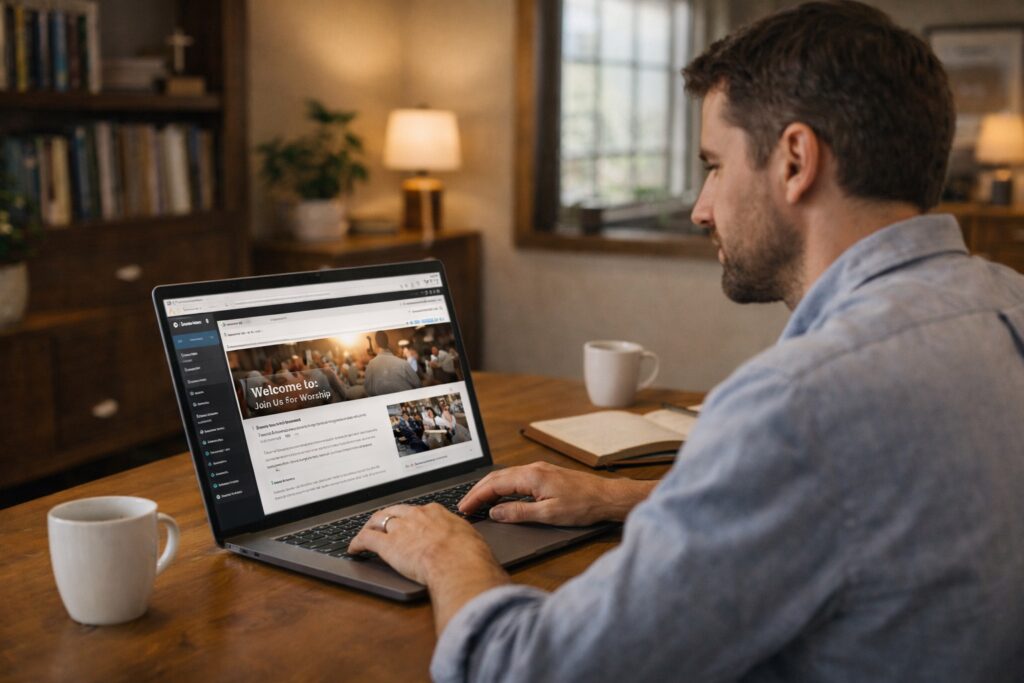
Sometimes the difference between a quiet church website and one that truly reaches people is not visibility alone, but whether the platform behind it is strong enough to carry the message clearly and consistently.
If you’re exploring WordPress Websites for Churches, you’re likely looking for a way to build a site that is not only easy to manage, but also flexible enough to grow with your ministry. WordPress has become one of the most trusted platforms for churches not because it is trendy, but because it works in real, practical ways over time.
Need help building your church website step by step?
Use the simple walkthrough that helps you set up your WordPress site with clarity, even if you are starting from scratch.
For churches, a website is more than a place to list service times. It often becomes a first point of contact for visitors, a weekly resource for members, and a quiet invitation for people who may be searching for hope. That is why the platform behind the site matters. When the system is too rigid, too confusing, or too hard to update, the website can quickly become neglected. But when it is built on the right platform, it becomes much easier to keep your message current, accessible, and useful.
What WordPress Actually Is
WordPress is a website platform that helps you create and manage a website without having to build everything from scratch. It gives structure to your pages, blog posts, images, menus, and content so that your site can grow in an organized way.
A simple way to think about it is this: WordPress is the system that helps your church website function behind the scenes. It allows you to publish pages, make updates, upload sermons, and organize your ministry information without needing advanced coding skills.
That balance matters for churches because most ministries need something practical, manageable, and dependable rather than something complicated.
Why So Many Churches Choose WordPress
There are many ways to build a church website, but WordPress continues to stand out because it works well in both the short term and the long term.
Flexibility
You can begin with a simple website and expand later. That means your church does not need to build everything at once. You can start with the basics, then add new pages, features, and resources over time.
Ownership
With WordPress, your content belongs to you. You are not locked into a highly restrictive system that makes it difficult to move, change, or grow later.
A Large Ecosystem
WordPress supports a wide range of themes, plugins, and integrations. That makes it possible to add sermon tools, donation features, forms, calendars, and other ministry-related functions as your needs develop.
Long Term Stability
WordPress has been trusted for years and continues to be widely used. That gives churches confidence that they are building on a platform with a strong future, not something temporary or fragile.
How WordPress Fits into Church Website Building
It helps to see WordPress as one part of a larger system:
- Hosting is the foundation that keeps your site online
- WordPress is the platform that organizes and runs the site
- Themes and builders shape how the site looks and feels
- Your content is the message people actually come to receive
When those parts work together well, your church website becomes stable, manageable, and ready to serve people consistently.
If you want to see how the hosting side connects to this larger structure, you can explore this complete guide to church website hosting.
That anchor page is designed to tie the full lane together, while this article focuses specifically on why WordPress is such a strong platform choice for churches.
What Makes WordPress Beginner Friendly
At first glance, WordPress can seem more advanced than it really is. But once you begin using it, especially with visual tools, it becomes much more approachable.
Visual Builders Simplify the Experience
Many churches use page builders that let you edit pages visually. That means you can click into sections, adjust text, move blocks, and preview changes without needing to touch code.
The Dashboard Keeps Things Organized
WordPress gives you one main area where you can manage pages, blog posts, images, menus, comments, and settings. This helps keep your site organized instead of scattered across different tools.
You Can Learn It Step by Step
You do not need to master everything in one weekend. You can start by learning how to create pages, update text, and upload media. As you get more comfortable, you can add other features gradually.
What Churches Can Build with WordPress
This is where WordPress becomes especially valuable. With the right setup, your church website can include far more than a basic homepage.
- A welcoming homepage
- Service times and directions
- About pages and ministry information
- Sermon archives with audio or video
- Event calendars
- Prayer request and contact forms
- Giving pages
- Blog posts, devotionals, or church updates
The key advantage is that these features can be added as your ministry grows. You do not need to launch with everything in place.
Common Concerns Churches Often Have
Is WordPress Too Complicated?
For most churches, no. It may feel unfamiliar in the beginning, but unfamiliar does not mean impossible. Once it is set up well and you understand the basics, WordPress becomes a practical tool rather than a confusing one.
Will We Need a Developer?
Many churches do not. Some use a developer for the initial setup, while others build the site themselves with beginner-friendly tools. In either case, WordPress is often manageable for regular updates once the foundation is in place.
What If We Make a Mistake?
Most changes in WordPress can be edited, updated, or corrected. That makes it a forgiving platform for churches that are learning as they go.
Mistakes Churches Should Avoid
Trying to Do Everything at Once
One of the easiest ways to become overwhelmed is to imagine you need a large, polished, feature-packed website before launching. In most cases, that is not necessary. Start with your core pages and build from there.
Choosing the Wrong Foundation
WordPress works best when it is paired with solid hosting. If the hosting is weak, even a well-built WordPress site can feel slow or unreliable.
Ignoring Simplicity
A church website does not need to feel complicated to be effective. Clear menus, simple navigation, and thoughtful structure usually serve people better than an overloaded design.
Simple WordPress Checklist for Churches
- Does your hosting support WordPress well?
- Can you update pages without technical stress?
- Is the site mobile friendly for phone visitors?
- Is the navigation simple and clear?
- Can you add features later as your ministry grows?
Why WordPress Supports Long Term Ministry
Churches are not static. Ministries expand, leadership changes, outreach grows, and new needs appear over time. A rigid platform can become a burden in those moments. WordPress supports long term ministry because it adapts. It allows your website to evolve without forcing you to start over every time something changes.
That adaptability matters. It means your website can grow alongside your church instead of falling behind it.
Bridging Vision Into Action
Many churches have the desire to reach more people online but hesitate because the technology feels intimidating. WordPress helps remove that barrier by giving ministries a platform that is both strong and manageable.
It helps turn intention into action. Instead of staying in the stage of “we really should build a better church website,” your ministry can move toward something real, useful, and lasting. That shift matters because a website is not just a project. It is a practical extension of how your church welcomes, informs, and serves people.
Final Encouragement
Choosing WordPress Websites for Churches is not about chasing trends or using a platform just because others recommend it. It is about choosing a system that supports your mission, gives you room to grow, and helps your church manage its online presence with confidence.
You do not need to know everything before you begin. You simply need a platform that is dependable, flexible, and well suited to the way ministry grows over time. WordPress offers that balance in a way that many churches find both practical and sustainable.
When your church website is built on the right platform, it becomes easier to keep your message visible, your resources accessible, and your ministry open to the people who need it most.
Ready to build a church website on a platform that can grow with your ministry?
Start with the step by step guide, then explore trusted hosting options that support WordPress, flexibility, and long term church website growth.
Explore Hosting Picks:
About the Author
I’m Nehemiah Maxwell, a Christian writer, teacher, and content strategist passionate about helping Christian women build blogs and online ministries that glorify God. Through WhichHostIsBest.com, I provide step-by-step WordPress, hosting, and blogging guidance to make launching an online ministry simple and approachable—so you can spend less time struggling with technology and more time sharing God’s truth.